// INTERACTIVE DEMO
Configure & render in seconds
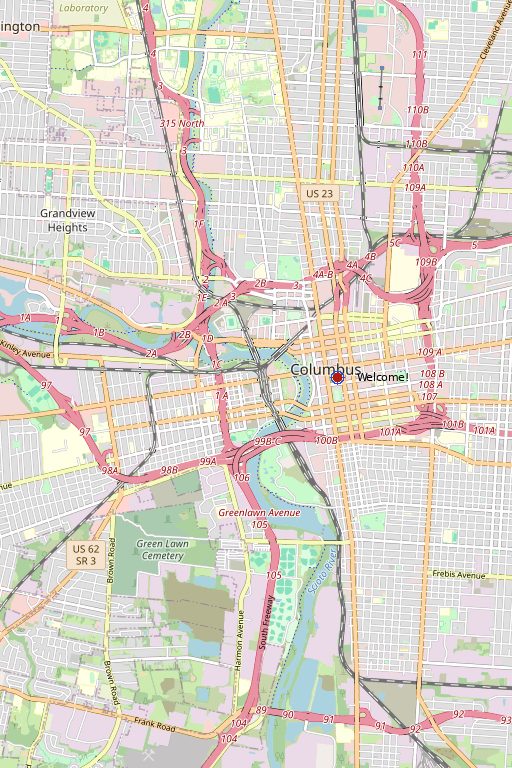
Map Configuration
// WHY MAPVIEW PRO
No browser needed.
No limits enforced.
Pure Server-Side
Generate map PNGs directly from Ruby — inside a job, a controller, a cron task. No Puppeteer, no headless browser.
Sub-50ms Renders
libgd-gis is compiled native C. Maps render in milliseconds, not seconds. Scale to thousands of renders per day without breaking a sweat.
GeoJSON Native
Drop any GeoJSON FeatureCollection in — points, lines, polygons, labels. Style each layer independently.
No API Keys
No Google Maps billing surprises. No Mapbox token management. OpenStreetMap tiles are yours.
Up to 4K Output
Print-quality maps at 3840×2160. Perfect for reports, PDFs, dashboards, and marketing assets.
Rails-Native API
Built for Ruby on Rails. One gem install, one line of code, and you're rendering maps in production.
// DEAD SIMPLE INTEGRATION
Add maps to your app
in minutes.
One gem. One helper method. A production-ready PNG delivered to your S3 bucket, email, or PDF report. MapView Pro handles the rest.
Getting started:
gem install mapview
rails generate mapview:install
// WHAT HAPPENS UNDER THE HOOD
The Magic: One Gem, Pure Performance
Parse Config
Map config (bbox, zoom, basemap, style) passed to helper
libgd-gis Renders
GIS layer fetches tiles, applies projection, composes layers
ruby-libgd Draws
Graphics engine renders PNG in <50ms from memory
Delivered
PNG blob ready for S3, PDF, email, or direct render
✓ No API keys • ✓ No rate limits • ✓ No monthly bills • ✓ No external dependencies
Everything runs in your process. Complete control. Full privacy.
// GET STARTED IN 3 STEPS
Installation
1. Install the gem
2. Run the installer
Generates initializer, migrations, and example config
3. Use the helper in your view
That's it. MapView handles the rest.